Best Multi-Color 3d Printers in 2026: 15 Picks Ranked by Specs
As an Amazon Associate we earn from qualifying purchases. Links on this page are affiliate links.
Choosing the right multi color 3d printer requires balancing speed, chamber design, and filament management. We compared 15 models in 2026 based on the specifications published on their listings. The Bambu Lab P1S Combo Multicolor 3D Printer leads the list because its enclosed chamber supports print speeds up to 500 mm/s alongside projects with up to 16 colors.
Every model on this list brings distinct hardware trade-offs, from multi-toolhead setups to enclosed CoreXY frames. This guide helps you decide which multi-filament configuration best matches your workspace and print requirements.
Quick picks
The best fit for you
- You want enclosed printing with up to sixteen colors Bambu Lab P1S Combo Multicolor 3D Printer Its enclosed chamber supports multi-material projects with up to 16 colors at speeds up to 500 mm/s.
- You need an active heated chamber for large builds Creality K2 Pro Multicolor 3D Printer The unit features a 60°C active heated chamber alongside a 300 mm cubic build volume.
- You want multi-material printing without purge waste Snapmaker U1 4-Toolhead 3D Printer An independent four-toolhead swapping mechanism fabricates multi-color parts without requiring a purge system.
- You want a lightweight desktop multi-color option Bambu Lab A1 Mini Combo Multi-Color 3D Printer Weighing 22.05 pounds, this compact machine delivers 10,000 mm/s² acceleration and automatic calibration.
Our 15 picks

Bambu Lab P1S Combo Multicolor 3D Printer
Best for: enclosed high-speed multi-color printing
- Color Printing
- Multi-Color
- Print Speed
- 500mm/s
- Multicolor Capacity
- Up to 16 Colors
- Leveling Type
- Automatic Bed Leveling
- Color
- Black
- Dimensions
- 15.3 × 18 × 15.3 inches
View on Amazon: Bambu Lab P1S Combo Multicolor 3D Printer (paid link)
The Bambu Lab P1S Combo is an enclosed multi-color 3D printer paired with an AMS unit. You get print speeds up to 500 mm/s with 20000 mm/s² acceleration and automatic bed leveling. Its enclosed body supports advanced filaments such as ABS, ASA, PA, and PC. This setup suits you if you need rapid multi-color output with capacity for up to 16 colors.
Pros
- Prints at speeds up to 500 mm/s with 20000 mm/s² acceleration
- Fully enclosed body supports ABS, ASA, PA, and PC filaments
- Supports up to 16 colors with AMS connection
- Includes automatic bed leveling
Cons
- Not recommended for carbon or glass fiber reinforced polymer filaments
- Heavy total weight of 40.87 pounds
Good fit if
- You want an enclosed printer for temperature-sensitive filaments like ABS and ASA
- You need print speeds reaching up to 500 mm/s
- You plan to print multi-color designs using up to 16 colors
Skip if
- You plan to print with carbon-fiber or glass-fiber reinforced polymers
- You need a lightweight machine under 40 pounds
Verdict: Bambu Lab P1S Combo Multi-Color 3D Printer delivers high-speed printing up to 500 mm/s alongside automatic bed leveling. Its enclosed chamber supports multi-material projects with up to 16 colors.

Bambu Lab P2S Combo Multi-Color 3D Printer
Best for: high-speed multi-material printing with active filament drying
- Color Printing
- Multi-Color
- Print Speed
- 600 mm/s
- Printing Technology
- FDM
- Extruder Type
- PMSM Servo Extruder
- Chamber Heating
- 50 °C
- Color
- Grey
View on Amazon: Bambu Lab P2S Combo Multi-Color 3D Printer (paid link)
The Bambu Lab P2S Combo pairs a high-speed enclosed printer with the AMS 2 Pro multi-color system. You get print speeds up to 600 mm/s, an active chamber maintaining up to 50 °C, and active filament drying reaching 65 °C inside the feeder unit. With quick-swap nozzles and automated calibration, this grey setup suits you if you need reliable multi-material prints and enclosed thermal management without manual tuning.
Pros
- Print speeds reach up to 600 mm/s with servo extrusion
- AMS 2 Pro includes built-in filament drying up to 65 °C
- Enclosure maintains a 50 °C chamber temperature with carbon air filtration
- Quick-swap nozzles and automated calibration
Cons
- Multi-color printing requires the separate AMS 2 Pro unit
- Large overall footprint measuring 22 by 18 by 18 inches
Good fit if
- You need high-speed multi-material printing with active spool drying up to 65 °C.
- You want an enclosed unit capable of maintaining a 50 °C chamber for technical filaments.
- You prefer fast hardware setup with automated calibration and quick-swap nozzles.
Skip if
- You have limited workspace unable to house a 22-inch-wide footprint.
- You plan to purchase the standalone base P2S unit without the AMS 2 Pro module for multi-color tasks.
Verdict: Bambu Lab P2S Combo Multi-Color 3D Printer provides fast 600 mm/s multi-color output backed by integrated spool drying and heated chamber management. It is a capable, spec-heavy choice for technical makers who require automated calibration in a self-contained grey enclosure.

FLASHFORGE High-Speed Multi-Color 3D Printer
Best for: fast four-color CoreXY printing on a budget
- Color Printing
- Multi-Color
- Build Volume
- 220x220x220mm
- Print Speed
- Up to 600mm/s
- Multicolor Capacity
- Up to 4 colors
- Leveling Type
- 1-Click Auto Leveling
- Motion Structure
- CoreXY
View on Amazon: FLASHFORGE High-Speed Multi-Color 3D Printer (paid link)
The FLASHFORGE High-Speed Multi-Color 3D Printer gives you four-color printing via a direct-drive CoreXY system. It reaches travel speeds up to 600mm/s with 20,000mm/s² acceleration. You get a 300°C nozzle, one-click bed leveling, and automated filament feeding. The printer includes a 0.4mm nozzle and connects to a mobile app for monitoring. This setup suits you if you need fast multi-material prototypes or colored parts without manual bed adjustments.
Pros
- CoreXY structure reaching speeds up to 600mm/s and 20,000mm/s² acceleration
- Direct-drive extruder rated up to 300°C with vibration compensation
- Simultaneous printing with up to four colors
- One-click automated bed leveling calibration
Cons
- Filament capacity limited to four colors simultaneously
- Alternate nozzle sizes like 0.25mm, 0.6mm, and 0.8mm require separate purchases
Good fit if
- You want multi-color prints using up to four filaments at once.
- You need high print speeds up to 600mm/s with automated bed leveling.
- You plan to print filaments that require temperatures up to 300°C.
Skip if
- You need more than four colors in a single print.
- You require non-standard nozzle diameters included out of the box.
Verdict: FLASHFORGE High-Speed Multi-Color 3D Printer delivers rapid 600mm/s CoreXY multi-color production with automated calibration. It offers a capable direct-drive setup for high-speed four-color fabrication.

Bambu Lab A1 Combo Multi-Color 3D Printer
Best for: Automated multi-color printing and DIY lighting projects
- Color Printing
- Multi-Color
- Printing Technology
- FDM
- Leveling Type
- Full-Auto Calibration
- Extruder Type
- 1-Clip quick swap nozzle
- Dimensions
- 23 × 21.1 × 16.8 inches
- Weight
- 28.5 pounds
View on Amazon: Bambu Lab A1 Combo Multi-Color 3D Printer (paid link)
The Bambu Lab A1 Combo pairs an FDM 3D printer with an AMS lite unit for multi-color printing. You get 10,000 mm/s² acceleration, active flow rate compensation, and full-auto calibration for hands-off bed leveling and Z-offset adjustment. It also includes an LED lamp hardware kit for illuminated display projects. This setup suits you if you want automated multi-color production with quick-swap nozzle maintenance in a single package.
Pros
- AMS lite system included for multi-color printing
- High acceleration rate of 10,000 mm/s²
- Full-auto calibration for bed leveling and Z-offset
- Active flow rate compensation and motor noise canceling
- 1-clip quick-swap nozzle mechanism
Cons
- Large physical footprint measuring 23.01 by 21.06 inches
- Heavy total system weight of 28.5 pounds
Good fit if
- You want automated multi-color printing using the included AMS lite unit.
- You need automatic bed leveling, Z-offset setup, and flow rate compensation.
- You plan to make functional lighted models using the included LED kit.
Skip if
- You have tight workspace limits unable to fit a 23.01 by 21.06-inch footprint.
- You need a lightweight machine that weighs under 28.5 pounds.
Verdict: Bambu Lab A1 Combo Multi-Color 3D Printer delivers high-speed multi-color printing supported by the AMS lite and full-auto calibration. It serves you well if you want automated extrusion tuning and simple nozzle swaps.

Bambu Lab A1 Mini Combo Multi-Color 3D Printer
Best for: quiet desktop multi-color printing
- Color Printing
- Multi-Color
- Multicolor Capacity
- Multi-Color
- Leveling Type
- Full-Auto Calibration
- Extruder Type
- 1-Clip quick swap nozzle
- Dimensions
- 16.8 × 14.8 × 19.5 inches
- Weight
- 22 pounds
View on Amazon: Bambu Lab A1 Mini Combo Multi-Color 3D Printer (paid link)
The Bambu Lab A1 Mini Combo is a multi-color 3D printer paired with an AMS lite unit. You get up to 10,000 mm/s² acceleration, active flow rate compensation, and full-auto calibration covering bed leveling and Z-offset. Operating at noise levels of 48 dB or lower, it sets up in roughly 20 minutes. It suits you if you want fast, quiet multi-color printing on your desk.
Pros
- Acceleration reaching up to 10,000 mm/s²
- Quiet operation at 48 dB or below with motor noise cancellation
- Full-auto calibration for Z-offset and bed leveling
- Active flow rate compensation for accurate extrusion
- Includes AMS lite system for multi-color printing
Cons
- Open-frame build without an enclosed print chamber
- Separate AMS lite unit requires additional horizontal desk space
Good fit if
- You need a quiet workspace machine that runs at or under 48 dB.
- You want automated multi-color printing with hands-off bed leveling and Z-offset tuning.
- You prefer quick nozzle maintenance using a 1-clip swap mechanism.
Skip if
- You need an enclosed printer chamber for printing specialized technical filaments.
- You want an all-in-one chassis without an external feeder attachment.
Verdict: Bambu Lab A1 Mini Combo with AMS Lite delivers rapid 10,000 mm/s² acceleration and quiet multi-color printing in a compact desktop format. Its full-auto calibration and quick-swap nozzle make multi-material printing straightforward.

ELEGOO Centauri Carbon 2 Combo 3D Printer
Best for: high-speed four-color engineering material prints
- Color Printing
- Multi-Color
- Print Speed
- Up to 500 mm/s
- Multicolor Capacity
- 4-color
- Motion Structure
- CoreXY
- Dimensions
- 18.9 × 19.7 × 29.3 inches
- Weight
- 42.7 pounds
View on Amazon: ELEGOO Centauri Carbon 2 Combo 3D Printer (paid link)
The ELEGOO Centauri Carbon 2 Combo is a CoreXY multi-color 3D printer built around the CANVAS 4-color filament system. You get print speeds reaching up to 500 mm/s with 20,000 mm/s² acceleration on a rigid aluminum frame. Features like auto refill, tangle detection, and active vibration compensation maintain reliability. This setup suits you if you need fast, automated four-color fabrication across standard and engineering-grade filaments.
Pros
- CANVAS system enables 4-color printing with auto refill and tangle detection
- CoreXY motion system reaches speeds up to 500 mm/s and 20,000 mm/s² acceleration
- Rigid aluminum frame with active vibration compensation
- Fully automated calibration and monitoring
Cons
- Height of 29.3 inches requires substantial vertical clearance
- Max capacity is capped at 4 colors
- Total weight exceeds 42 pounds
Good fit if
- You want automated 4-color printing with smart filament detection and auto refill.
- You need CoreXY printing speeds up to 500 mm/s.
- You plan to print engineering-grade filaments requiring temperature control.
Skip if
- You need to print with more than 4 colors at once.
- You have tight workspace clearance that cannot accommodate a 29.3-inch tall unit.
Verdict: ELEGOO Centauri Carbon 2 Combo Multi-Color 3D Printer delivers high-speed 4-color CoreXY printing backed by automated calibration and active vibration compensation. It is a dependable choice for makers who want fast multi-material projects without manual tuning.

Snapmaker U1 4-Toolhead 3D Printer
Best for: waste-free multi-material and four-color printing
- Color Printing
- Multi-Color
- Build Volume
- 270 x 270 x 270 mm
- Print Speed
- Up to 500 mm/s
- Multicolor Capacity
- 4-toolhead
- Motion Structure
- CoreXY
- Dimensions
- 22.6 × 13 × 14.2 inches
View on Amazon: Snapmaker U1 4-Toolhead 3D Printer (paid link)
The Snapmaker U1 is a CoreXY multi-color 3D printer equipped with an active four-toolhead changer. Instead of purging filament through a single nozzle, it switches between four independent, preheated extruders in five seconds. You get a 270 x 270 x 270 mm build volume, print speeds up to 500 mm/s, and a 3.5-inch touchscreen. It suits you if you need rapid multi-material printing without excessive waste.
Pros
- Four independent toolheads with 5-second automatic switching
- Toolhead swapping eliminates single-nozzle filament purge waste
- CoreXY motion system reaching speeds up to 500 mm/s
- 270 x 270 x 270 mm build volume
- Broad material support including PVA, TPU, PETG, ABS, and PC
Cons
- Heavy total machine weight of approximately 59.1 pounds
- Capped at four materials or colors per print
- Screen size is limited to 3.5 inches
Good fit if
- You want to combine dissimilar materials like flexible TPU and rigid plastics in one job.
- You want fast multi-color tool changes without waiting for nozzle purge cycles.
- You need a CoreXY system capable of speeds up to 500 mm/s.
Skip if
- You need more than four colors loaded simultaneously for a single model.
- You need a lightweight unit that is easy to move frequently.
Verdict: Snapmaker U1 4-Toolhead 3D Printer delivers fast multi-material fabrication using an independent four-toolhead swapping mechanism rather than a traditional purge system. Its CoreXY frame and 500 mm/s top speed offer high productivity for complex multi-filament builds.

Flashforge Creator 5 4-Toolhead 3D Printer
Best for: waste-free multi-material and support-filament printing
- Color Printing
- Multi-Color
- Print Speed
- 600mm/s
- Printing Technology
- FDM
- Multicolor Capacity
- 4-color
- Leveling Type
- Auto Calibration
- Motion Structure
- CoreXY
View on Amazon: Flashforge Creator 5 4-Toolhead 3D Printer (paid link)
The Flashforge Creator 5 is a CoreXY multi-color FDM 3D printer featuring four independent toolheads. Instead of purging through a single nozzle, it swaps preheated toolheads in seven seconds to reduce filament waste. Running at print speeds up to 600mm/s with automatic calibration and vibration compensation, you can mix materials like PLA, PETG, TPU, and dedicated support filaments. It suits you if you need fast multi-material printing without extensive purge waste.
Pros
- Four independent toolheads with 7-second tool changes
- CoreXY motion system reaching print speeds up to 600mm/s
- Supports mixed-material jobs including PLA, PETG, TPU, and PETG-CF
- Fully automatic calibration with active vibration compensation
Cons
- Hardware capped at four colors or materials per job
- Print build volume dimensions not provided in published specs
Good fit if
- You want to print multiple materials like TPU, PETG, and dedicated supports in one job.
- You want to reduce purge waste and nozzle-flushing time between color changes.
- You need high-speed CoreXY printing up to 600mm/s.
Skip if
- You need to print models requiring more than four distinct colors.
- You require verified build volume specifications before purchasing.
Verdict: Flashforge Creator 5 4-Toolhead CoreXY delivers high-speed multi-material printing using four discrete toolheads to eliminate purge waste. It is a capable CoreXY machine for complex prints with up to four filaments.

Creality CFS Multicolor Filament System
Best for: Creality K-series multi-color filament upgrades
- Color Printing
- Multi-Color
- Multicolor Capacity
- 16-color
- Dimensions
- 10 × 10 × 12 inches
- Weight
- 13.4 pounds
View on Amazon: Creality CFS Multicolor Filament System (paid link)
The Creality CFS 4-Spool Multi-Color System is an automated filament management unit measuring 10 by 10 by 12 inches. It adds multi-color and multi-material feeding to compatible Creality printers, including K1, K1 Max, K1C, K2, and K2 Plus models. The airtight dry box features RFID spool identification and daisy-chains up to four units for 16-color printing. It suits you if you want automated spool switching and dissolvable support capability for your existing Creality setup.
Pros
- Daisy-chains up to four units for 16-color printing
- Airtight moisture-proof storage with desiccant slots
- RFID reader automatically detects compatible filament type and color
- Enables multi-material printing with snap-away and soluble support filaments
Cons
- Filament spools are not included in the package
- Requires an extra upgrade kit for use on K1-series printers
- Limited to compatible Creality K1 and K2 series machines
Good fit if
- You own a compatible Creality K1 or K2 printer and want automated color switching.
- You need an airtight desiccant chamber to protect moisture-sensitive filaments.
- You plan to expand your setup to 16 colors using four linked units.
Skip if
- You need an all-in-one printer rather than a standalone multi-color add-on unit.
- You run non-Creality 3D printers that cannot interface with the CFS system.
Verdict: Creality CFS 4-Spool Multi-Color System gives owners of compatible Creality machines an airtight, RFID-enabled pathway to multi-color printing. Its four-spool feeder links with up to three additional units to deliver up to 16 automated material swaps.

Flashforge AD5X Multi-Color 3D Printer
Best for: high-speed four-color and technical material printing
- Color Printing
- Multi-Color
- Build Volume
- 220x220x220mm
- Print Speed
- Up to 600mm/s
- Multicolor Capacity
- 4 colors
- Leveling Type
- One-click auto leveling
- Motion Structure
- CoreXY
View on Amazon: Flashforge AD5X Multi-Color 3D Printer (paid link)
The Flashforge AD5X is a high-speed CoreXY 3D printer designed for multi-color and multi-material projects. It includes an Intelligent Filament System that handles four colors with automated loading and spool refills. You get a 220x220x220mm build volume, travel speeds up to 600mm/s, and a 300°C high-temperature nozzle capable of running PLA, PETG, TPU, and carbon fiber. It suits makers who want automated material switching and fast turnaround times.
Pros
- Intelligent Filament System supports 4 colors with auto-loading and refill
- CoreXY structure reaches travel speeds up to 600mm/s and 20m/s² acceleration
- 300°C nozzle and 32mm³/s flow hotend handle PLA, PETG, TPU, and carbon fiber
- Features one-click auto-leveling and vibration compensation
Cons
- Real-time video monitoring requires an additional camera kit
- Build area is restricted to 220x220x220mm
Good fit if
- You want automated four-color printing with filament runout auto-refill.
- You print technical filaments like carbon fiber and TPU at high speeds.
- You plan to manage multiple printers remotely using Orca-Flashforge.
Skip if
- You need a build envelope larger than 220x220x220mm.
- You expect an out-of-the-box integrated camera for monitoring.
Verdict: Flashforge AD5X Multi-Color 3D Printer delivers fast multi-material fabrication with its four-color feed system and 300°C hotend. It provides reliable automated color switching within a compact 220mm cubic workspace.

Anycubic Kobra X Multicolor 3D Printer
Best for: high-speed native multi-color and multi-material printing
- Color Printing
- Multi-Color
- Build Volume
- 260mm x 260mm x 260mm
- Print Speed
- 600mm/s
- Multicolor Capacity
- 4 colors, up to 19 colors
- Leveling Type
- LeviQ 3.0, 49-point auto bed leveling
- Extruder Type
- Hardened steel nozzle
View on Amazon: Anycubic Kobra X Multicolor 3D Printer (paid link)
The ANYCUBIC Kobra X provides native four-color printing with expansion up to 19 colors using four ACE 2 Pro units. It features a 260 x 260 x 260 mm build volume, a 300°C hardened steel nozzle reaching speeds up to 600 mm/s, and 49-point LeviQ 3.0 auto-leveling. It suits you if you need multi-material capability including TPU and ASA, paired with dual-band Wi-Fi and smart AI detection on a mid-sized print bed.
Pros
- Native 4-color printing, expandable up to 19 colors with ACE 2 Pro
- Print speeds up to 600 mm/s with hardened steel nozzle reaching 300°C
- LeviQ 3.0 49-point auto-bed leveling system
- Integrated AI spaghetti and foreign object detection
Cons
- Filament is not included in the package
- Incompatible with original ACE Pro hardware
Good fit if
- You want native 4-color printing with room to expand to 19 colors.
- You need 300°C nozzle capability for materials like ASA and TPU.
- You want automated 49-point bed calibration with AI print monitoring.
Skip if
- You plan to reuse existing Anycubic ACE Pro units.
- You need a build volume exceeding 260 x 260 x 260 mm.
Verdict: ANYCUBIC Kobra X Multicolor 3D Printer delivers native four-color capability and 300°C extrusion across a 260 x 260 x 260 mm build area. It offers reliable automation through LeviQ 3.0 leveling and AI monitoring at speeds up to 600 mm/s.

Creality SPARKX Multicolor 3D Printer
Best for: four-color printing with built-in failure detection
- Color Printing
- Multi-Color
- Build Volume
- 260 x 260 x 255 mm
- Leveling Type
- Auto-leveling
- Features
- High Speed
- Dimensions
- 16.6 × 17.9 × 18.5 inches
- Weight
- 33.1 pounds
View on Amazon: Creality SPARKX Multicolor 3D Printer (paid link)
The Creality SPARKX i7 Combo is a multi-color 3D printer that uses the CFS Lite system for four-color printing. You get a 260 × 260 × 255 mm build volume, auto-leveling, and an integrated AI camera that monitors for spaghetti, tangles, and print failures in real time. It suits you if you want multi-color capability without complex assembly or third-party modeling software for basic 3D portrait generation.
Pros
- Four-color printing support via CFS Lite
- 260 × 260 × 255 mm build volume
- Built-in AI camera for real-time failure detection
- Pre-assembled construction with automated leveling
Cons
- Limited to four colors simultaneously
- Weighs 33.1 pounds, requiring dedicated desk space
Good fit if
- You want a four-color setup that arrives pre-assembled.
- You need an integrated camera to catch print failures in real time.
- You want a 260 × 260 × 255 mm build volume with silent night printing.
Skip if
- You need to print with more than four colors in one job.
- You need a compact, lightweight machine that weighs under 30 pounds.
Verdict: Creality SPARKX i7 Combo Multi-Color Printer combines four-color feeding with a 260 × 260 × 255 mm volume and automated camera monitoring. It delivers a reliable setup if you prioritize fast deployment and hardware-based failure prevention.
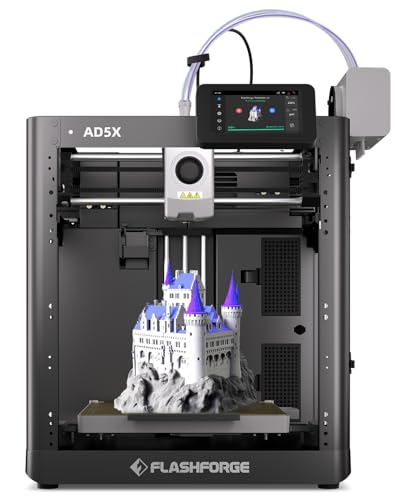
Flashforge High-Speed Multi-Color 3D Printer
Best for: high-speed multi-color printing with technical filaments
- Color Printing
- Multi-Color
- Build Volume
- 220 * 220 * 220mm
- Print Speed
- 600mm/s
- Printing Technology
- FDM
- Leveling Type
- Fully Automatic Leveling
- Features
- High Speed
View on Amazon: Flashforge High-Speed Multi-Color 3D Printer (paid link)
The FLASHFORGE AD5X is an FDM multi-color 3D printer running Intelligent Filament Switching technology for single-job color prints. You get print speeds reaching up to 600mm/s alongside a high-temperature 300°C nozzle capable of processing PLA, ABS, and PETG filaments. A fully automatic leveling system handles bed setup across its compact 14.8 by 14.29-inch footprint. This setup suits you if you need multi-material capability without manual calibration.
Pros
- Up to 600mm/s maximum print speed
- 300°C nozzle supports PLA, ABS, and PETG
- Intelligent Filament Switching (IFS) for multi-color printing
- Fully automatic bed leveling system
Cons
- Build volume dimensions are not specified in the specs
- Uses single-nozzle filament switching rather than independent toolheads
Good fit if
- You want multi-color prints handled automatically by Intelligent Filament Switching.
- You need print speeds reaching up to 600mm/s.
- You work with filaments requiring temperatures up to 300°C like ABS and PETG.
Skip if
- You require verified build volume specifications before buying.
- You need multi-toolhead printing rather than filament switching.
Verdict: FLASHFORGE AD5X Multi-Color 3D Printer delivers 600mm/s print speeds and 300°C nozzle temperatures alongside automated multi-color switching. It provides an automated setup for technical filaments without manual bed calibration.

Creality K2 Combo Direct Drive 3D Printer
Best for: scalable multi-color printing at high speeds
- Color Printing
- Multi-Color
- Build Volume
- 260*260*260mm
- Print Speed
- 600mm/s
- Multicolor Capacity
- up to 16 colors
- Leveling Type
- Smart Auto Leveling
- Extruder Type
- Next-Gen Direct Drive Extruder
View on Amazon: Creality K2 Combo Direct Drive 3D Printer (paid link)
The Creality K2 Combo Multi-Color 3D Printer is a high-speed direct-drive machine paired with Creality's CFS filament system. It gives you a 260 × 260 × 260 mm build volume and print speeds up to 600 mm/s. The package includes one CFS unit for four colors, with support for up to four units and 16 colors. It suits you if you need fast multi-material printing with active AI camera monitoring.
Pros
- Print speeds up to 600 mm/s
- 260 × 260 × 260 mm build volume
- Supports up to four CFS units for 16-color printing
- Integrated AI camera for real-time failure detection
- Targeted auto-leveling probes only the active print area
Cons
- Includes only one CFS unit out of the box, limiting base printing to four colors
- Requires 21.06 inches of vertical clearance
Good fit if
- You want 600 mm/s high-speed printing with automated multi-color switching.
- You plan to scale your multi-color setups up to 16 filaments across four CFS units.
- You need real-time failure detection through a built-in AI camera.
Skip if
- You need more than four colors right away without buying additional CFS units.
- You require a build volume larger than 260 × 260 × 260 mm.
Verdict: Creality K2 Combo Multi-Color 3D Printer delivers high-speed 600 mm/s printing and a 260 × 260 × 260 mm volume with clear expansion paths up to 16 filaments. It is a solid multi-color choice for makers who want automated leveling, direct-drive feeding, and built-in camera monitoring.

Creality K2 Pro Multicolor 3D Printer
Best for: large engineering prints requiring a heated chamber
- Color Printing
- Multi-Color
- Build Volume
- 300×300×300mm
- Print Speed
- 600 mm/s
- Multicolor Capacity
- Up to 16-color
- Leveling Type
- Auto leveling
- Extruder Type
- Direct drive, hardened steel gears
View on Amazon: Creality K2 Pro Multicolor 3D Printer (paid link)
The Creality K2 Pro Combo 3D Printer delivers multi-color printing using the included CFS unit, which supports up to 16 colors across linked systems. It features a 300x300x300mm build volume and active chamber heating up to 60°C for engineering materials like ASA and PPA-CF. With speeds reaching 600mm/s and dual AI monitoring cameras, this setup suits you if you need reliable high-temperature multi-material fabrication.
Pros
- Active chamber heating maintains temperatures up to 60°C for technical filaments
- Large 300 x 300 x 300 mm build volume accommodates bigger single prints and batches
- Print speeds reach up to 600 mm/s with 20,000 mm/s² acceleration
- Dual AI cameras automate nozzle flow tuning and detect chamber print failures
- Direct-drive extruder features hardened steel gears rated for 40 mm³/s flow
Cons
- Machine weight is heavy at over 61 pounds
- Active chamber temperature tops out at 60°C
- Package includes only a single 500g spool of starter filament
Good fit if
- You print warp-prone engineering filaments like ASA, PPA, and carbon-fiber blends.
- You need a spacious 300 x 300 x 300 mm build area for large parts or batch production.
- You want automated nozzle flow tuning and failure detection via dual AI cameras.
Skip if
- You need a lightweight machine that is easy to move around a workspace.
- You require chamber temperatures exceeding 60°C for specialized industrial plastics.
Verdict: Creality K2 Pro Combo 3D Printer combines high-speed multi-color printing with a 60°C active heated chamber and a large 300 mm cubic build area. It provides the thermal stability, dual-camera automation, and hardened components needed for technical filament projects.
Specifications side by side
| Spec | Bambu Lab P1S Combo Multicolor 3D Printer | Bambu Lab P2S Combo Multi-Color 3D Printer | FLASHFORGE High-Speed Multi-Color 3D Printer | Bambu Lab A1 Combo Multi-Color 3D Printer | Bambu Lab A1 Mini Combo Multi-Color 3D Printer | ELEGOO Centauri Carbon 2 Combo 3D Printer | Snapmaker U1 4-Toolhead 3D Printer | Flashforge Creator 5 4-Toolhead 3D Printer | Creality CFS Multicolor Filament System | Flashforge AD5X Multi-Color 3D Printer | Anycubic Kobra X Multicolor 3D Printer | Creality SPARKX Multicolor 3D Printer | Flashforge High-Speed Multi-Color 3D Printer | Creality K2 Combo Direct Drive 3D Printer | Creality K2 Pro Multicolor 3D Printer |
|---|---|---|---|---|---|---|---|---|---|---|---|---|---|---|---|
| Build Volume | not specified | not specified | 220x220x220mm | not specified | not specified | not specified | 270 x 270 x 270 mm | not specified | not specified | 220x220x220mm | 260mm x 260mm x 260mm | 260 x 260 x 255 mm | 220 * 220 * 220mm | 260*260*260mm | 300×300×300mm |
| Print Speed | 500mm/s | 600 mm/s | Up to 600mm/s | not specified | not specified | Up to 500 mm/s | Up to 500 mm/s | 600mm/s | not specified | Up to 600mm/s | 600mm/s | not specified | 600mm/s | 600mm/s | 600 mm/s |
| Printing Technology | not specified | FDM | not specified | FDM | not specified | not specified | not specified | FDM | not specified | not specified | not specified | not specified | FDM | not specified | not specified |
| Multicolor Capacity | Up to 16 Colors | not specified | Up to 4 colors | not specified | Multi-Color | 4-color | 4-toolhead | 4-color | 16-color | 4 colors | 4 colors, up to 19 colors | not specified | not specified | up to 16 colors | Up to 16-color |
| Leveling Type | Automatic Bed Leveling | not specified | 1-Click Auto Leveling | Full-Auto Calibration | Full-Auto Calibration | not specified | not specified | Auto Calibration | not specified | One-click auto leveling | LeviQ 3.0, 49-point auto bed leveling | Auto-leveling | Fully Automatic Leveling | Smart Auto Leveling | Auto leveling |
| Motion Structure | not specified | not specified | CoreXY | not specified | not specified | CoreXY | CoreXY | CoreXY | not specified | CoreXY | not specified | not specified | not specified | not specified | not specified |
| Extruder Type | not specified | PMSM Servo Extruder | Direct drive | 1-Clip quick swap nozzle | 1-Clip quick swap nozzle | not specified | not specified | not specified | not specified | not specified | Hardened steel nozzle | not specified | not specified | Next-Gen Direct Drive Extruder | Direct drive, hardened steel gears |
| Chamber Heating | not specified | 50 °C | not specified | not specified | not specified | not specified | not specified | not specified | not specified | not specified | not specified | not specified | not specified | not specified | Up to 60°C |
| Color Printing | Multi-Color | Multi-Color | Multi-Color | Multi-Color | Multi-Color | Multi-Color | Multi-Color | Multi-Color | Multi-Color | Multi-Color | Multi-Color | Multi-Color | Multi-Color | Multi-Color | Multi-Color |
| Structure | not specified | not specified | CoreXY | not specified | not specified | not specified | not specified | CoreXY | not specified | not specified | not specified | not specified | not specified | not specified | not specified |
| Leveling | not specified | not specified | Auto Leveling | not specified | not specified | not specified | not specified | not specified | not specified | not specified | not specified | Auto Leveling | Auto Leveling | Auto Leveling | Auto Leveling |
| Features | not specified | not specified | High Speed | not specified | not specified | not specified | not specified | not specified | not specified | not specified | not specified | High Speed | High Speed | Built-in Camera | High Speed, Built-in Camera, Heated Chamber |
| Color | Black | Grey | Black | multicolor | Silver | Gray | not specified | not specified | Transparent | AD5X | Grey | !silver | Black | K2 Combo (A) | Black |
| Dimensions | 15.3 × 18 × 15.3 inches | 18 × 22 × 18 inches | 16 × 14 × 18 inches | 23 × 21.1 × 16.8 inches | 16.8 × 14.8 × 19.5 inches | 18.9 × 19.7 × 29.3 inches | 22.6 × 13 × 14.2 inches | 16 × 14 × 18 inches | 10 × 10 × 12 inches | 14.3 × 14.8 × 16.3 inches | 23 × 13 × 22 inches | 16.6 × 17.9 × 18.5 inches | 14.3 × 14.8 × 16.3 inches | 16.9 × 16.5 × 21.1 inches | 17 × 20 × 18 inches |
| Weight | 40.9 pounds | not specified | 24.3 pounds | 28.5 pounds | 22 pounds | 42.7 pounds | 59.1 pounds | 30.8 pounds | 13.4 pounds | 24.3 pounds | 20.9 pounds | 33.1 pounds | 23.8 pounds | not specified | 61.7 pounds |
| Size | P1S Combo (With AMS) | P2S Combo(With AMS 2 Pro) | not specified | A1 Combo + LED Kit | A1 mini Combo (with AMS lite) | Centauri Carbon 2 Combo | not specified | not specified | 5KG | 220x220x220mm Build Volume | not specified | not specified | not specified | K2 Combo (A) | not specified |
| Model | P1S Combo | PF004-U+SA007-AU | AD5X | PF002-A+SA005-EU | PF002-M+SA005-AU | US-EL-3DF-CC2C | not specified | Creator 5 | CFS | SZ-AD5X | not specified | not specified | AD5X | K2-Combo_1002110087_LOCALUS1 | K2 Pro Combo |
Is Multi-Color Printing Worth It?
Multi-color printing adds automated material switching to your workflow. Systems on this list handle between four and sixteen filaments, swapping spools automatically during a single job. You can build multi-color components or combine technical filaments with dedicated support materials without pausing to swap spools manually. These machines pair multi-spool feeders or discrete toolheads with automated bed leveling and speeds up to 600 mm/s. In daily use, multi-color hardware removes manual filament feeding, but it increases the overall footprint and physical complexity of your setup on the workbench.
Worth it if
- You need automated switching between up to 16 filaments in a single build.
- You want to combine build materials with dedicated support filaments without manual spool changes.
- You plan to produce finished multi-color parts directly on the print bed.
Skip it if
- You only fabricate single-color, single-material functional prototypes.
- You have limited bench space and cannot accommodate external multi-spool feeders or toolhead mechanisms.
When you need specs for outdoor cooking gear instead of workshop fabrication tools, our breakdown covers each multi fuel outdoor pizza oven by burner type.
How We Picked These Printers
We selected 15 models for this 2026 guide by reviewing published specifications on Amazon. A printer qualifies when its listing confirms multi-color printing in the title or feature list. We do not physically handle or test these machines. All details come directly from published technical specifications. You see only one size or variant per product family to keep comparisons clear.
The guide displays products in stock first, then by Amazon sales rank, with better-selling products first. You see live availability refreshed on the page at least daily to help you track current inventory.
How to Choose a Multi-Color 3D Printer
-
Check Maximum Print Speed
Check the listed print speed if you want to complete multi-color projects quickly. Multi-color prints often require additional execution time due to layer changes. Machines in this category typically list speeds between 500 mm/s and 600 mm/s. For example, the FLASHFORGE High-Speed Multi-Color 3D Printer reaches 600mm/s. Choose a higher speed rating if you produce large models or run frequent multi-spool print jobs. Verify whether high-speed operation requires specific filament types or compatible system acceleration settings before you buy.
-
Inspect Extruder Drive Type
Check the extruder type specified on the printer listing. Multi-color fabrication demands precise filament retraction and feeding across repeated color transitions. Direct drive extruders place the drive gears directly above the hotend, which shortens the filament path and improves extrusion control. The Creality K2 Combo Direct Drive 3D Printer includes this direct drive specification. Choose a direct drive setup if you plan to print flexible materials or need reliable grip across multiple filament retractions during complex builds.
-
Evaluate Frame Motion Structure
Examine the internal motion structure of the printer before selecting a model. High-speed multi-material printing creates significant mechanical vibration. A CoreXY motion system keeps the print bed stationary on the horizontal plane while the print head moves across the X and Y axes. The Flashforge Creator 5 4-Toolhead 3D Printer relies on a CoreXY structure to maintain structural rigidity. Choose a CoreXY frame if you prioritize dimensional stability and high printing speeds during tall, multi-layer color prints.
-
Match Build Volume Specs
Compare the published build volume dimensions against the size of the objects you intend to produce. Multi-color assemblies can require substantial horizontal and vertical clearance. Listings specify build space in millimeters, such as the 220x220x220mm build volume found on the Flashforge AD5X Multi-Color 3D Printer. Choose a larger chamber if you fabricate functional parts or single-piece items in one continuous job. A smaller build volume suits users who print miniatures, small prototypes, or decorative tabletop parts.
-
Look for Auto Leveling
Review the bed leveling specification to understand how the machine prepares for each print. Multi-material prints depend on an even first layer across the entire print surface to prevent separation. Printers with auto leveling use onboard sensors to detect bed tilt and automatically compensate for minor surface unevenness. The Creality SPARKX Multicolor 3D Printer features automated leveling to streamline setup. Select a printer with auto leveling if you want consistent first-layer adhesion without spending time on manual bed adjustments.
-
Review Footprint and Weight
Check the physical dimensions and weight of the printer along with its multi-color feeding accessories. Dedicated multi-color spool holders and automated feeders increase the required clearance around the frame. For example, the Bambu Lab A1 Mini Combo Multi-Color 3D Printer weighs 22.046 pounds and measures 14.82 inches wide by 16.77 inches long. Choose a lighter, smaller unit if you work in a tight workspace. Ensure your workbench can support the machine's full operating dimensions during active printing.
Frequently asked questions
Can multi-color 3D printers print with flexible or direct-drive filaments?
Yes, multi-color 3D printers with direct-drive extruders handle flexible and technical filaments effectively. Models such as the FLASHFORGE High-Speed Multi-Color 3D Printer and the Creality K2 Combo feature direct-drive systems. These setups mount the extruder motor directly above the hotend, providing precise grip and responsive filament feeding during multi-color retraction cycles.
How do multi-color 3D printers level their print beds automatically?
Multi-color 3D printers rely on integrated sensors to map the build surface before starting a job. Several options, including the Creality SPARKX, Creality K2 Combo, Creality K2 Pro, and FLASHFORGE High-Speed Multi-Color 3D Printer, include automated bed leveling as a core feature. This system calculates surface deviations and adjusts your z-axis height automatically, which prevents adhesion failures across multi-layer, multi-color prints without manual adjustments.
What build volume sizes are available on high-speed multi-color 3D printers?
Build volumes range from compact desktop sizes to large fabrication spaces across these machines. The Flashforge AD5X offers a 220 x 220 x 220 mm volume for smaller workspaces. If you need larger build areas, the Creality SPARKX provides 260 x 260 x 255 mm, the Creality K2 Combo provides 260 x 260 x 260 mm, and the Creality K2 Pro offers a 300 mm cubic volume.
Which multi-color 3D printers include built-in monitoring cameras?
Several models include integrated hardware cameras to monitor multi-color jobs. The Creality K2 Combo and Creality K2 Pro include built-in cameras directly in their feature sets, with the K2 Pro listing dual-camera automation. The Creality SPARKX also incorporates automated camera monitoring. These cameras allow you to track long multi-material prints and assist with automated failure detection during continuous operation.
How fast can multi-color 3D printers print?
Top rated speeds for these multi-color units typically reach between 500 mm/s and 600 mm/s. The Bambu Lab P1S Combo, Snapmaker U1, and Creality K2 SE list top print speeds of 500 mm/s. Units like the Bambu Lab P2S Combo, Flashforge Creator 5, FLASHFORGE AD5X, Creality K2 Combo, and Creality K2 Pro reach up to 600 mm/s, speeding up multi-filament print times.
What nozzle temperatures do multi-color 3D printers support for technical filaments?
Dedicated multi-color machines often support nozzle temperatures up to 300°C to process technical filaments. The Flashforge AD5X Multi-Color 3D Printer specifies a 300°C hotend alongside its four-color feed setup. Reaching these elevated temperatures allows you to melt engineering-grade filaments cleanly, ensuring strong layer bonding when alternating between standard colored materials and specialized technical filaments in a single build.
Can you upgrade an existing single-color printer to multi-color printing?
Yes, you can add standalone feeder units to compatible machines instead of buying an all-in-one printer. The Creality CFS Multicolor Filament System functions as a dedicated four-spool feeder designed for compatible Creality K-series units. It features an airtight, RFID-enabled enclosure and links with up to three additional units, enabling up to 16 automated material swaps without replacing your existing compatible printer.