15 Best 3d Printers for Beginners, Compared
As an Amazon Associate we earn from qualifying purchases. Links on this page are affiliate links.
Choosing the right 3d printer for beginners means finding hardware that balances automated setup with dependable print performance. We evaluated 15 models strictly using the specifications published on their listings.
The Bambu Lab P2S High-Speed FDM Printer leads the lineup with its 600 mm/s print speeds and enclosed 50 °C chamber for fast, automated single-color printing. This guide helps you compare dimensions, leveling systems, and material compatibility so you can select the right machine for your desktop workspace.
Quick picks
The best fit for you
- You want enclosed high-speed printing with automated calibration Bambu Lab P2S High-Speed FDM Printer You get 600 mm/s print speeds and an enclosed 50 °C chamber for fast automated setups.
- You want multi-color printing with automated filament handling Creality SPARKX Nano Multi-Color 3D Printer You get automated filament handling, automatic bed leveling, and an integrated AI camera for multi-spool printing.
- You need the lightest portable option for small desks Portable Compact FDM 3D Printer You get a 2.2-pound lightweight frame with a 100x100x100mm build volume suited for small workspaces.
- You want a high-temperature direct-drive extruder setup Flashforge Adventurer 5M Open-Frame 3D Printer You get a 280°C direct-drive extruder with 600 mm/s speeds and a 25-point auto-leveling PEI build plate.
Our 15 picks

Bambu Lab P2S High-Speed FDM Printer
Best for: fast, automated single-color enclosed 3D printing
- Target Audience
- Beginners
- Print Speed
- 600 mm/s
- Printing Technology
- FDM
- Extruder Type
- PMSM Servo Extruder
- Chamber Heating
- 50 °C
- Color
- Grey
View on Amazon: Bambu Lab P2S High-Speed FDM Printer (paid link)
The Bambu Lab P2S is an enclosed FDM 3D printer built for fast, automated production. It delivers print speeds up to 600 mm/s using a PMSM servo extruder and automatic calibration. Its enclosed chamber maintains temperatures up to 50 °C with built-in carbon air filtration. This setup suits you if you want a machine that starts printing within 15 minutes without manual bed leveling.
Pros
- Print speeds up to 600 mm/s with active flowrate compensation
- Automatic calibration and AI failure detection
- Enclosed chamber maintaining up to 50 °C with carbon air filter
- Quick-swap nozzle system
Cons
- Base unit does not support multi-color printing without the Combo version
- Substantial 21-by-18-inch desktop footprint
Good fit if
- You want 600 mm/s printing with fully automated bed calibration.
- You need a 50 °C temperature-controlled chamber with an air filter.
Skip if
- You want multi-color printing straight out of the box.
- You have tight desk space that cannot fit an 18 by 21-inch chassis.
Verdict: Bambu Lab P2S High-Speed FDM 3D Printer provides automated calibration, 600 mm/s speeds, and an enclosed 50 °C chamber for rapid setup. It serves as a dependable standalone unit, provided you do not need multi-color printing out of the box.

Bambu Lab A1 FDM 3D Printer
Best for: beginners seeking high speed and automated calibration
- Target Audience
- Beginners, Kids
- Printing Technology
- FDM
- Leveling Type
- Full-Auto Calibration
- Color
- Grey
- Dimensions
- 21.8 × 20.8 × 12.9 inches
- Weight
- 22 pounds
View on Amazon: Bambu Lab A1 FDM 3D Printer (paid link)
The Bambu Lab A1 is an FDM 3D printer designed for beginners and kids who want automated operation. You get full-auto calibration for hands-off bed leveling and Z-offset adjustments, paired with an acceleration rate of 10,000 mm/s². Active flow rate compensation regulates extrusion consistency, while motor noise canceling keeps operation quiet. It suits you if you want fast printing and automated setup without manual adjustments.
Pros
- Full-auto calibration manages bed leveling and Z-offset
- High acceleration rate reaching 10,000 mm/s²
- Active flow rate compensation for precise extrusion
- Tool-free 1-clip quick swap nozzle system
- Active motor noise canceling for quiet operation
Cons
- Multi-color printing requires separate purchase of AMS lite
- Desk footprint is wide at over 21 inches across
- Heavier unit weighing over 22 pounds
Good fit if
- You want fully automated calibration for bed leveling and offset setup.
- You want high acceleration speeds paired with quiet motor operation.
- You plan to expand into multi-color prints later via AMS lite.
Skip if
- You want multi-color printing hardware included out of the box.
- You have tight desk space that cannot fit a 21-inch wide machine.
Verdict: Bambu Lab A1 Auto-Calibrating 3D Printer delivers high-speed printing with full automation for leveling and extrusion control. It provides a quiet, reliable entry point for newcomers with an optional path to multi-color printing.

Bambu Lab A1 Mini with LED Lamp Kit
Best for: Beginners making compact DIY decorative lighting projects
- Target Audience
- Beginners
- Leveling Type
- Automatic calibration
- Dimensions
- 15.2 × 16.8 × 17.9 inches
- Weight
- 12.1 pounds
View on Amazon: Bambu Lab A1 Mini with LED Lamp Kit (paid link)
The Bambu Lab A1 Mini with LED Lamp Kit is a compact desktop 3D printer built for entry-level makers. It weighs 12.13 pounds and measures 15.21 by 16.77 by 17.94 inches, saving desk space while offering automatic calibration for quick setup. You can browse ready-to-print designs via MakerWorld and manage tasks through the Bambu Handy app. It suits you if you want a quiet, streamlined setup for craft projects.
Pros
- Automatic calibration for streamlined first-time setup
- Includes LED Lamp Kit hardware for custom lighting projects
- Lightweight 12.13-pound frame fits on small workbenches
- Wireless control through the Bambu Handy app and MakerWorld library
Cons
- Does not include the AMS lite multi-filament unit
- Open-frame construction lacks an enclosed build chamber
Good fit if
- You want automated calibration without manual bed-leveling steps.
- You plan to make functional decorative light projects out of the box.
- You need a compact printer weighing under 13 pounds for tight spaces.
Skip if
- You want multi-color printing components included with your purchase.
- You require a fully enclosed printing environment.
Verdict: Bambu Lab A1 Mini with LED Lamp Kit delivers automated calibration and app connectivity in an accessible, space-saving format. It gives beginners a dependable, quiet machine ready for DIY lighting projects right out of the box.

ELEGOO Centauri 2 CoreXY 3D Printer
Best for: beginners wanting high-speed CoreXY printing
- Target Audience
- Beginners
- Print Speed
- Up to 500 mm/s
- Leveling Type
- Automatic calibration
- Motion Structure
- CoreXY
- Dimensions
- 15.9 × 15.7 × 19.3 inches
- Weight
- 30.2 pounds
View on Amazon: ELEGOO Centauri 2 CoreXY 3D Printer (paid link)
The ELEGOO Centauri 2 CoreXY 3D Printer is a high-speed FDM machine built for beginners seeking quick setups and fast output. It features a CoreXY motion system reaching print speeds up to 500 mm/s with 20,000 mm/s² acceleration. You get automated calibration, a 5-inch touchscreen, and remote app monitoring through the ELEGOO Matrix app. It suits you if you want rapid printing speeds without manual bed leveling routines.
Pros
- Prints at speeds up to 500 mm/s with 20,000 mm/s² acceleration
- Full automatic calibration and pre-print checks handle setup
- 5-inch touchscreen interface simplifies everyday controls
- Remote monitoring supported via the ELEGOO Matrix app
Cons
- Weighs over 30 pounds, making it cumbersome to move
- Belt tensioner is semi-automatic rather than fully automated
Good fit if
- You want high print speeds up to 500 mm/s on a rigid aluminum frame.
- You prefer automatic calibration over manual bed adjustment steps.
- You want to monitor and manage prints remotely using a mobile app.
Skip if
- You need a lightweight, portable printer that weighs less than 30 pounds.
- You have tight workspace clearance for a unit standing over 19 inches tall.
Verdict: ELEGOO Centauri 2 CoreXY 3D Printer delivers high-speed printing and automated calibration in a sturdy aluminum build. It is a solid choice for beginners who want fast output and app-based monitoring without manual leveling chores.

Entina Tina2C Mini 3D Printer
Best for: first-time makers printing small PLA models
- Target Audience
- Beginners, Kids
- Build Volume
- 3.9" x 3.9" x 3.9"
- Leveling Type
- Auto Leveling
- Compatible Material
- PLA
- Features
- Wi-Fi, Fully Assembled
- Dimensions
- 11.4 × 8.6 × 8.6 inches
View on Amazon: Entina Tina2C Mini 3D Printer (paid link)
The Entina Tina2 Mini 3D Printer is a fully assembled, entry-level desktop machine designed for first-time makers and children. It features a compact 3.9 by 3.9 by 3.9-inch build volume, automatic bed leveling, and built-in Wi-Fi connectivity via the Poloprint mobile application. Packed with four colors of PLA filament totaling roughly one kilogram, this unit gives you an out-of-the-box setup suited for small decorative models and basic desk prototypes.
Pros
- Auto leveling eliminates manual bed adjustment
- Includes four PLA filament colors totaling approximately 1kg
- Comes fully assembled with Wi-Fi and Poloprint app control
- Flexible magnetic build plate enables easy print removal
- Built-in power-loss recovery resumes interrupted jobs
Cons
- Compact 3.9 x 3.9 x 3.9-inch build volume restricts part size
- Compatibility is limited exclusively to PLA filament
Good fit if
- You want an out-of-the-box machine that requires zero assembly.
- You plan to print small toys, household accents, or miniature prototypes.
- You prefer sending prints wirelessly from a mobile app.
Skip if
- You need to produce objects larger than 3.9 inches in any dimension.
- You intend to use advanced materials beyond standard PLA.
Verdict: Entina Tina2 Mini 3D Printer delivers a compact, fully assembled design with automatic leveling and bundled PLA filament for easy starter projects. Its tight 3.9-inch cubic build area keeps it strictly focused on small-scale maker tasks.

Creality Ender 3 V3 SE 3D Printer
Best for: beginners wanting direct drive and automated leveling
- Target Audience
- Beginners
- Print Speed
- 250mm/s
- Leveling Type
- CR Touch Auto Leveling
- Extruder Type
- Sprite Direct Drive Extruder
- Dimensions
- 15 × 19.6 × 15 inches
- Weight
- 19.8 pounds
View on Amazon: Creality Ender 3 V3 SE 3D Printer (paid link)
The Creality Ender 3 V3 SE Direct Drive 3D Printer is a beginner-focused machine built for straightforward setup. It features CR Touch auto-leveling with automatic Z-offset calibration, eliminating manual bed adjustment. A Sprite direct drive extruder feeds PLA, PETG, and TPU at speeds up to 250mm/s with 2500mm/s² acceleration. Dual synchronized Z-axis screws steady the frame during motion, making this unit a practical option if you want reliable everyday printing without complex calibration.
Pros
- CR Touch auto-leveling with automated Z-offset calibration
- Sprite direct drive extruder supports PLA, PETG, and TPU
- Dual synchronized Z-axis screws and linear Y-axis shafts reduce vibration
- Maximum print speed of 250mm/s with 2500mm/s² acceleration
- Flexible PC spring steel build plate for easy part removal
Cons
- Requires multi-step assembly before first use
- No enclosed build chamber provided in specifications
Good fit if
- You want automated bed leveling and Z-offset calibration to simplify setup.
- You plan to print flexible materials like TPU alongside PLA and PETG.
- You prefer direct drive extrusion paired with dual Z-axis stability.
Skip if
- You want a fully factory-assembled unit that requires zero mechanical assembly.
- You require a fully enclosed build area for printing high-temperature plastics.
Verdict: Creality Ender 3 V3 SE Direct Drive 3D Printer combines high-speed movement, direct-drive feeding, and hands-off bed leveling in an approachable platform. It provides dual-axis stability and broad material compatibility for beginners starting their first builds.

Entina Tina2 Basic Mini 3D Printer
Best for: beginners printing small desktop crafts
- Target Audience
- Beginners, Kids
- Build Volume
- 100x105x100mm
- Printing Technology
- FDM
- Leveling Type
- Auto Leveling
- Features
- Fully Assembled
- Color
- Grey
View on Amazon: Entina Tina2 Basic Mini 3D Printer (paid link)
The Entina Tina2 Basic Mini 3D Printer arrives fully assembled and targets beginners seeking a compact setup. It features a 100x105x100mm build volume, automatic bed leveling, and dual Z-axis rails for stability. You control operations via a 2.4-inch LCD screen and print offline using a MicroSD card. Its removable magnetic build plate simplifies part removal, making this small 6-pound unit practical for desktop spaces, classrooms, and small hobby projects.
Pros
- Dual Z-axis rail design improves printing stability
- Built-in automatic bed leveling eliminates manual calibration
- Flexible, removable magnetic build plate eases model removal
- Fully assembled construction with included MicroSD card slicing software
Cons
- Small 100x105x100mm build volume restricts project dimensions
- Relies on knob navigation and offline MicroSD card file transfers
Good fit if
- You need a compact, fully assembled printer for small desk spaces.
- You want automatic bed leveling without manual adjustment steps.
- You plan to produce small models within a 100x105x100mm build area.
Skip if
- You require a build volume larger than 100x105x100mm.
- You prefer touchscreen controls over a knob-operated LCD screen.
Verdict: Entina Tina2 Basic Mini 3D Printer delivers a compact, fully assembled option with automatic leveling for desktop printing. It serves newcomers who prioritize straightforward offline operation over large build capacity.

Portable Compact FDM 3D Printer
Best for: small workspaces and basic miniature prints
- Target Audience
- Beginners
- Build Volume
- 100x100x100mm
- Printing Technology
- FDM
- Compatible Material
- PLA, TPU
- Color
- Black
- Nozzle Diameter
- 0.4mm
View on Amazon: Portable Compact FDM 3D Printer (paid link)
This compact FDM printer gives you an ultra-small 100x100x100mm build space and weighs just 2.2 pounds. It uses a standard 0.4mm nozzle with layer heights between 0.05mm and 0.3mm, supporting both PLA and flexible TPU filaments. It includes a removable build plate and runs off a 12V Type-C power adapter. If you have limited desk space or want an entry-level machine for small models, its small footprint fits easily.
Pros
- Compact 100 x 100 x 100 mm build volume with 2.2 lb overall weight
- Supports both rigid PLA and flexible TPU filaments
- Removable build plate simplifies finished print removal
- Powered via a 12V Type-C power adapter
Cons
- Small 100 x 100 x 100 mm build volume restricts part size
- Requires modular assembly and manual bed leveling
- Lacks automatic bed leveling sensors
Good fit if
- You need an ultra-compact, 2.2-pound machine for small spaces or desks.
- You plan to print small items using 1.75mm PLA or TPU.
- You want an included starter kit with a TF card, tools, and sample filament.
Skip if
- You need to print items larger than 100 x 100 x 100 mm.
- You want fully automated bed leveling out of the box.
Verdict: Portable Mini FDM 3D Printer is a lightweight, bare-bones option suited for tight workspaces and small PLA or TPU prints. Its 100x100x100mm volume handles basic models without claiming valuable desk room.
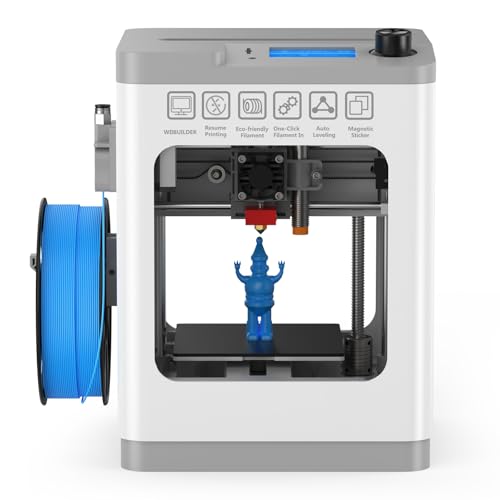
HEPHI3D TINA2 Mini 3D Printer
Best for: compact desktop printing without assembly
- Target Audience
- Beginners
- Leveling Type
- Auto-leveling
- Features
- Fully Assembled
- Color
- Grey
- Dimensions
- 8.27 × 8.27 × 11.4 inches
- Weight
- 5.69 pounds
View on Amazon: HEPHI3D TINA2 Mini 3D Printer (paid link)
The HEPHI3D TINA2 is a compact, fully assembled FDM printer designed for small workspaces. It measures 8.27 by 8.27 by 11.42 inches and weighs under six pounds. You receive one-touch auto bed leveling, dual Z-axis and dual Y-axis rails, and a 2.4-inch LCD screen. It supports PLA, PLA Pro, and TPU filaments via TF card or USB cable. This setup suits you if you want a pre-built machine for basic desktop printing.
Pros
- Fully assembled out of the box with one-touch auto bed leveling
- Dual Z-axis and dual Y-axis rails for structural stability
- Removable, flexible magnetic build plate for easy print removal
- Supports open-source slicers including Cura, PrusaSlicer, and Simplify3D
Cons
- File transfers limited to TF card and USB cable with no wireless connectivity listed
- Material compatibility restricted to PLA, PLA Pro, and TPU
Good fit if
- You want a fully assembled machine ready to run out of the box.
- You need a compact, lightweight unit that weighs under 6 pounds.
- You plan to slice models using standard software like Cura or PrusaSlicer.
Skip if
- You need Wi-Fi or wireless print management.
- You intend to print high-temperature materials beyond PLA and TPU.
Verdict: HEPHI3D TINA2 Compact 3D Printer delivers an accessible, fully assembled design with automated leveling and dual guide rails for space-conscious desks. It offers reliable entry-level handling without requiring manual assembly or custom configuration.

Asani Mini 3D Printer with Auto-Leveling
Best for: beginners wanting a compact green Wi-Fi printer
- Target Audience
- Beginners, Kids
- Leveling Type
- auto-leveling
- Color
- Green
- Dimensions
- 8.3 × 8.3 × 11.4 inches
- Weight
- 6.4 pounds
View on Amazon: Asani Mini 3D Printer with Auto-Leveling (paid link)
This compact unit comes fully assembled with a 6.4-pound frame measuring 8.3 by 8.3 by 11.4 inches. You get auto-leveling, a dual Z-axis rail, Wi-Fi connectivity, and a 2.4-inch LCD screen. It supports 1.75mm PLA, PLA pro, and TPU filaments via one-touch loading. Designed for beginners and kids, it suits small workspaces, classrooms, and dorm rooms where you need an out-of-the-box machine.
Pros
- Arrives fully assembled with a lightweight 6.4-pound frame
- Auto-leveling sensor paired with a dual Z-axis rail
- Wi-Fi connectivity with Cura, Simplify3D, and Slic3r software support
- Flexible magnetic build plate and one-touch filament loading
Cons
- Proximity sensor requires metal magnetic plates and fails on non-metal surfaces
- Filament compatibility restricted to 1.75mm PLA, PLA pro, and TPU
- Compact 8.3-by-8.3-by-11.4-inch chassis limits maximum print sizes
Good fit if
- You want a fully assembled machine ready for desktop or dorm use.
- You plan to print standard 1.75mm PLA or TPU using wireless slicing software.
- You prefer automated leveling and a removable flexible print surface.
Skip if
- You want to use non-metal or glass build plates.
- You need support for engineering filaments beyond PLA and TPU.
Verdict: Asani Green Mini 3D Printer delivers a pre-assembled setup with auto-leveling and Wi-Fi in a lightweight frame. It provides a straightforward starting point for beginners working with PLA and TPU in compact spaces.

Flashforge Adventurer 5M Open-Frame 3D Printer
Best for: Beginners wanting high-speed direct drive printing
- Target Audience
- Beginners
- Build Volume
- 8.7"x8.7"x8.7"
- Print Speed
- 600mm/s
- Leveling Type
- Auto Bed Leveling
- Motion Structure
- CoreXY
- Extruder Type
- Direct Drive (280°C)
View on Amazon: Flashforge Adventurer 5M Open-Frame 3D Printer (paid link)
The Flashforge Adventurer 5M is a high-speed CoreXY 3D printer built with a direct drive extruder reaching up to 280°C. You get print speeds up to 600mm/s, 25-point auto bed leveling, and a flexible PEI build plate. It suits you if you want fast prototyping with standard and engineering filaments like PLA, PETG, and ASA without manual leveling hassles.
Pros
- Direct drive extruder reaches up to 280°C with a 50W ceramic heater
- 25-point auto bed leveling with 0.01mm precision calibration
- High print speed up to 600mm/s on a rigid CoreXY frame
- Quick-change nozzle system and flexible PEI build plate
Cons
- Ships as an open-frame barebones unit without factory side panels
- Weighs 23.37 pounds, making it heavier to relocate
Good fit if
- You want a direct drive toolhead for materials requiring up to 280°C extrusion
- You prefer 25-point automated leveling to handle first-layer calibration
- You want high print speeds up to 600mm/s on a dual linear rail system
Skip if
- You need a factory-enclosed printer straight out of the box
- You want a lightweight, compact printer under 20 pounds
Verdict: Flashforge Adventurer 5M Direct Drive 3D Printer combines high-speed CoreXY motion with a 280°C direct drive extruder for versatile filament handling. It provides dependable 25-point auto leveling, though full enclosure requires printing your own panels.

Creality SPARKX Nano Multi-Color 3D Printer
Best for: beginners wanting automated multi-color desktop 3D printing
- Target Audience
- Beginners
- Leveling Type
- Automatic bed leveling
- Dimensions
- 16.6 × 17.9 × 18.5 inches
- Weight
- 21.4 pounds
View on Amazon: Creality SPARKX Nano Multi-Color 3D Printer (paid link)
The Creality SPARKX Nano Multi-Color 3D Printer brings automated multi-color extrusion to your desktop. Measuring 16.6 by 17.9 by 18.5 inches and weighing 21.4 pounds, it integrates automatic bed leveling, an AI monitoring camera, and automated filament loading with runout spool switching. Tool-free hotend and extruder swaps streamline routine maintenance. It suits you if you want beginner-friendly multi-filament printing with automated spool management and remote Wi-Fi control without manual calibration.
Pros
- Multi-color printing with automated feed, retract, and spool backup switching
- Automatic bed leveling for consistent first-layer setup
- Built-in AI camera for remote print monitoring and error detection
- Tool-free quick-swap system for hotend, extruder, and cutter
- Built-in Wi-Fi connectivity with Creality Cloud support
Cons
- Build volume dimensions are not listed in the specifications
- Supported filament types and maximum temperatures are not specified
- Total unit weight exceeds 21 pounds
Good fit if
- You want multi-color printing with automated filament feed and runout switching
- You prefer hands-off bed leveling and remote camera monitoring over Wi-Fi
- You want modular, tool-free swapping for hotends and extruders
Skip if
- You require verified build volume dimensions before purchasing
- You need confirmed high-temperature filament support specifications
Verdict: Creality SPARKX Nano Multi-Color 3D Printer simplifies multi-spool printing through automated filament handling, automatic bed leveling, and integrated AI camera monitoring. Its modular tool-free design makes maintenance direct and manageable for beginners.

SainSmart PrintyGo High-Speed Mini 3D Printer
Best for: young beginners wanting fast, enclosed printing
- Target Audience
- Beginners, Kids
- Print Speed
- 600mm/s
- Leveling Type
- Auto Leveling
- Features
- Wi-Fi
- Color
- White
- Dimensions
- 3.54 × 3.94 × 3.94 inches
View on Amazon: SainSmart PrintyGo High-Speed Mini 3D Printer (paid link)
The SainSmart PrintyGo Mini 3D Printer is a compact, fully enclosed white machine designed for beginners. It features automated bed leveling, a rated print speed of up to 600mm/s, and a 5-inch touchscreen loaded with an onboard model library. You can operate it standalone without a computer, making it practical for young users and first-time hobbyists who want safe, straightforward PLA printing.
Pros
- Print speeds up to 600mm/s
- Enclosed chassis with door-open safety pause
- 5-inch touchscreen with standalone model library
- Integrated auto-leveling system
Cons
- Compact footprint restricts maximum print size
- Includes only 250g of starter filament
Good fit if
- You want an enclosed white machine with child-safety auto-pause features.
- You prefer printing directly from a touchscreen without connecting a computer.
- You want fast operation with speeds up to 600mm/s.
Skip if
- You need a large build volume for full-scale functional parts.
- You require material support beyond basic PLA.
Verdict: SainSmart PrintyGo Mini 3D Printer combines high-speed output with an enclosed frame and standalone touch controls. It is a solid, clean-looking choice for beginners focused on simple, safe PLA projects.

Flashforge Adventurer 5M CoreXY 3D Printer
Best for: fast, automated desktop printing for beginners
- Target Audience
- Beginners, Kids
- Build Volume
- 220x220x220 mm
- Print Speed
- 600mm/s
- Leveling Type
- One-click Automatic Leveling
- Motion Structure
- Core XY
- Extruder Type
- Direct drives
View on Amazon: Flashforge Adventurer 5M CoreXY 3D Printer (paid link)
The Flashforge Adventurer 5M CoreXY 3D Printer delivers a 220x220x220 mm build volume with travel speeds up to 600 mm/s and 20,000 mm/s² acceleration. It features one-click automatic bed leveling, direct-drive extrusion, and a 35-second hot-end heat-up to 200°C. Controlled via Klipper firmware and the Flash Maker app, it gives you rapid output and simple calibration in a desktop machine suited for beginners.
Pros
- 600 mm/s travel speed with 20,000 mm/s² acceleration
- Fully one-click automatic bed leveling
- Dual-sided PEI build plate with 35-second heat-up to 200°C
- Direct-drive extruder with 32 mm³/s high-flow hot end
Cons
- App-based camera monitoring requires purchasing a separate camera kit
- 220x220x220 mm build area restricts large-format printing
Good fit if
- You want automated first-layer setup through one-click auto leveling.
- You need high-speed CoreXY motion driven by Klipper firmware.
- You plan to swap nozzles quickly across sizes from 0.25 mm to 0.8 mm.
Skip if
- You need integrated video monitoring out of the box without an extra kit.
- You require a build volume larger than 220x220x220 mm.
Verdict: Flashforge Adventurer 5M CoreXY 3D Printer pairs high-speed CoreXY kinematics with one-click automated leveling for straightforward desktop operation. Its rapid-heating hot end and swappable nozzles make it a versatile choice for newcomers.

Entina Tina2C Mini 3D Printer
Best for: compact desktop printing and small beginner projects
- Target Audience
- Beginners
- Build Volume
- 100×100×100 mm
- Leveling Type
- One-click 9-point auto leveling
- Extruder Type
- Brass-hardened steel nozzle
- Color
- Orange
- Dimensions
- 6.5 × 8 × 10 inches
View on Amazon: Entina Tina2C Mini 3D Printer (paid link)
The Entina Tina2C Mini 3D Printer is a compact, fully assembled FDM machine designed for entry-level desktop printing. It offers a 100×100×100 mm build volume, one-click nine-point auto-leveling, and a 245°C brass-hardened steel nozzle with a heated bed. Operating under 45 dB, it connects via Wi-Fi, USB, or TF card. It suits you if you need a pre-calibrated, quiet setup for small PLA or TPU parts in tight workspaces.
Pros
- One-click 9-point auto leveling and auto nozzle cleaning
- Operating noise level stays under 45 dB
- Flexible magnetic build plate with a heated print bed
- Connectivity includes Wi-Fi, USB, and TF card
- 245°C nozzle handles PLA and TPU filaments
Cons
- Small build volume limited to 100×100×100 mm
- Maximum nozzle temperature capped at 245°C
Good fit if
- You want a fully assembled desktop printer that operates under 45 dB.
- You only make small models within a 100×100×100 mm envelope.
- You plan to print standard PLA or TPU using USB, Wi-Fi, or TF cards.
Skip if
- You need a build volume larger than 100×100×100 mm for bigger objects.
- You print technical materials requiring nozzle temperatures above 245°C.
Verdict: Entina Tina2C Mini 3D Printer delivers a compact footprint, quiet operation, and automated leveling right out of the box. Its 100×100×100 mm capacity and 245°C nozzle make it a practical entry point for small desktop projects.
Specifications side by side
| Spec | Bambu Lab P2S High-Speed FDM Printer | Bambu Lab A1 FDM 3D Printer | Bambu Lab A1 Mini with LED Lamp Kit | ELEGOO Centauri 2 CoreXY 3D Printer | Entina Tina2C Mini 3D Printer | Creality Ender 3 V3 SE 3D Printer | Entina Tina2 Basic Mini 3D Printer | Portable Compact FDM 3D Printer | HEPHI3D TINA2 Mini 3D Printer | Asani Mini 3D Printer with Auto-Leveling | Flashforge Adventurer 5M Open-Frame 3D Printer | Creality SPARKX Nano Multi-Color 3D Printer | SainSmart PrintyGo High-Speed Mini 3D Printer | Flashforge Adventurer 5M CoreXY 3D Printer | Entina Tina2C Mini 3D Printer |
|---|---|---|---|---|---|---|---|---|---|---|---|---|---|---|---|
| Build Volume | not specified | not specified | not specified | not specified | 3.9" x 3.9" x 3.9" | not specified | 100x105x100mm | 100x100x100mm | not specified | not specified | 8.7"x8.7"x8.7" | not specified | not specified | 220x220x220 mm | 100×100×100 mm |
| Print Speed | 600 mm/s | not specified | not specified | Up to 500 mm/s | not specified | 250mm/s | not specified | not specified | not specified | not specified | 600mm/s | not specified | 600mm/s | 600mm/s | not specified |
| Printing Technology | FDM | FDM | not specified | not specified | not specified | not specified | FDM | FDM | not specified | not specified | not specified | not specified | not specified | not specified | not specified |
| Leveling Type | not specified | Full-Auto Calibration | Automatic calibration | Automatic calibration | Auto Leveling | CR Touch Auto Leveling | Auto Leveling | not specified | Auto-leveling | auto-leveling | Auto Bed Leveling | Automatic bed leveling | Auto Leveling | One-click Automatic Leveling | One-click 9-point auto leveling |
| Motion Structure | not specified | not specified | not specified | CoreXY | not specified | not specified | not specified | not specified | not specified | not specified | CoreXY | not specified | not specified | Core XY | not specified |
| Extruder Type | PMSM Servo Extruder | not specified | not specified | not specified | not specified | Sprite Direct Drive Extruder | not specified | not specified | not specified | not specified | Direct Drive (280°C) | not specified | not specified | Direct drives | Brass-hardened steel nozzle |
| Chamber Heating | 50 °C | not specified | not specified | not specified | not specified | not specified | not specified | not specified | not specified | not specified | not specified | not specified | not specified | not specified | not specified |
| Compatible Material | not specified | not specified | not specified | not specified | PLA | not specified | not specified | PLA, TPU | not specified | not specified | not specified | not specified | not specified | not specified | not specified |
| Leveling | not specified | not specified | not specified | not specified | Auto Leveling | Auto Leveling | Auto Leveling | not specified | not specified | not specified | Auto Leveling | not specified | Auto Leveling | not specified | not specified |
| Features | not specified | not specified | not specified | not specified | Wi-Fi, Fully Assembled | not specified | Fully Assembled | not specified | Fully Assembled | not specified | not specified | not specified | Wi-Fi | not specified | not specified |
| Target Audience | Beginners | Beginners, Kids | Beginners | Beginners | Beginners, Kids | Beginners | Beginners, Kids | Beginners | Beginners | Beginners, Kids | Beginners | Beginners | Beginners, Kids | Beginners, Kids | Beginners |
| Color | Grey | Grey | Silver | not specified | Orange/Yellow/Pink/Purple | Ender 3 V3 SE | Grey | Black | Grey | Green | Adventurer 5M | not specified | White | Adventurer 5M | Orange |
| Build Plate Material | not specified | not specified | not specified | not specified | not specified | not specified | not specified | not specified | not specified | not specified | PEI | not specified | not specified | not specified | not specified |
| Nozzle Diameter | not specified | not specified | not specified | not specified | not specified | not specified | not specified | 0.4mm | not specified | not specified | not specified | not specified | not specified | not specified | not specified |
| Dimensions | 18 × 21 × 18 inches | 21.8 × 20.8 × 12.9 inches | 15.2 × 16.8 × 17.9 inches | 15.9 × 15.7 × 19.3 inches | 11.4 × 8.6 × 8.6 inches | 15 × 19.6 × 15 inches | 11.4 × 8.6 × 8.6 inches | 6.8 × 6.1 × 8.3 inches | 8.27 × 8.27 × 11.4 inches | 8.3 × 8.3 × 11.4 inches | 15.7 × 14.3 × 17.6 inches | 16.6 × 17.9 × 18.5 inches | 3.54 × 3.94 × 3.94 inches | 14.3 × 14.8 × 16.3 inches | 6.5 × 8 × 10 inches |
| Weight | not specified | 22 pounds | 12.1 pounds | 30.2 pounds | not specified | 19.8 pounds | 6 pounds | 2.2 pounds | 5.69 pounds | 6.4 pounds | 23.4 pounds | 21.4 pounds | 9.1 pounds | 23.8 pounds | not specified |
| Size | P2S | A1 | A1 mini + LED Kit | Centauri 2 | not specified | Ender 3 V3 SE | not specified | not specified | not specified | Compact | not specified | not specified | not specified | not specified | not specified |
| Model | PF004-U-AU | PF002-A | PF002-M-EU | Centauri 2 | not specified | Ender 3 V3 SE | TINA2 BAISC-TF Card | not specified | TINA2 Basic Gray | TINA2S | AD5M | i7 Nano Combo | PrintyGo | Adventurer 5M | not specified |
Are beginner-oriented 3D printers worth it?
Beginner-targeted 3D printers prioritize hands-off operation through factory assembly and automated bed leveling. Models built for this audience eliminate manual calibration chores by including one-click leveling, Wi-Fi or app monitoring, and tool-free modular designs. Fully assembled compact options run small PLA prints straight from the box, while larger units add direct-drive feeding and automatic filament handling. Choosing a printer with a beginner designation means you bypass manual bed adjustment, extensive kit assembly, and custom configuration routines.
Worth it if
- You want automated calibration and auto-leveling that remove manual setup chores.
- You prefer a fully assembled machine ready for printing directly out of the box.
- You need straightforward monitoring through mobile apps, Wi-Fi, or standalone touch screens.
Skip it if
- You prefer building a mechanical printer frame yourself from loose components.
- You want a platform designed for manual calibration routines and custom hardware configuration.
If you configure your workspace alongside your printer, you can compare switch specifications for a mechanical keyboard under 50 across different layouts.
How We Chose Beginner Printers
To select the 15 options for you, we identify models where Amazon listings state beginners as the target audience in titles or spec tables. We take all specifications directly from published manufacturer data without physical evaluation. Each product family includes only one representative size or model variant.
The list ranks available products first, followed by Amazon sales rank so better-selling items appear higher. We also compare published hardware specifications across models, highlighting automated bed leveling, direct-drive extrusion, print speeds up to 600 mm/s, and pre-assembled frames. Real-time pricing and stock status update daily.
Key Factors When Choosing Beginner Printers
-
Evaluate the Motion Structure
Check whether the frame uses CoreXY kinematics or a moving bed design. CoreXY machines keep the build plate moving only vertically on the Z-axis while the print head moves across X and Y belts. This rigid mechanical setup minimizes print wobbling during fast directional shifts. If you plan to produce tall objects at elevated speeds, look for aluminum CoreXY frames. The ELEGOO Centauri 2 CoreXY 3D Printer specifies this structure, giving you rigid stability and fast output without the mechanical momentum of a shifting print bed.
-
Verify Material Compatibility
Review the supported filament types listed in the manufacturer specifications. Standard entry-level printers process rigid PLA, which prints cleanly at lower temperatures without warping. If you want to manufacture flexible gaskets, phone bumpers, or bendable hinges, check that the spec sheet explicitly lists TPU compatibility alongside PLA. Feeding flexible filaments requires precise filament path control that standard PLA-only setups may lack. The Portable Compact FDM 3D Printer lists verified support for both PLA and TPU, letting you produce flexible functional parts right away without buying separate hardware upgrades.
-
Measure Your Available Space
Examine external dimensions and weight before selecting a machine for your desk. Large chassis provide spacious build areas but require dedicated workbench clearance to operate properly. Measure your workspace depth and width, keeping in mind that moving cables and filament spools demand extra boundary space around the frame. If your surface area is limited or you need to store the machine between sessions, heavy hardware over twenty pounds can prove awkward to reposition. The Bambu Lab A1 measures 20.83 inches wide and 21.76 inches long, requiring a dedicated, sturdy desk.
-
Compare Extruder Feed Types
Check whether the printer uses a direct-drive extruder or a remote Bowden tube. Direct-drive configurations place the feeder motor directly above the hot end nozzle. This short filament travel path minimizes slack, ensures responsive retraction, and prevents feed jams when working with varied material densities. In contrast, remote Bowden tubes introduce more mechanical distance between the drive gears and the melt zone. The Creality Ender 3 V3 SE specifies direct-drive feeding, which gives you reliable grip and consistent layer deposition when you start working with technical or elastic filaments.
-
Check File Transfer Options
Examine how the printer receives print files and commands. Models with Wi-Fi connectivity let you send sliced 3D models straight from your computer or smartphone app without handling physical storage drives. This allows remote queueing and status tracking across your home network. However, if you prefer an isolated setup without network passwords or pairing steps, look for units featuring local TF card readers. The Entina Tina2 Basic Mini 3D Printer operates offline via TF card storage, suiting beginners who want straightforward, plug-and-play printing without configuring wireless settings.
Frequently asked questions
Which beginner 3D printers support multi-color printing out of the box?
The Creality SPARKX Nano includes multi-color printing right out of the box, utilizing automated filament handling and an integrated AI camera. Other machines, such as the Bambu Lab A1, feature an optional path to multi-color printing if you choose to expand later. Standalone models like the Bambu Lab P2S focus strictly on fast, single-color output directly from the factory.
Can beginner 3D printers handle flexible filaments like TPU?
Yes, select beginner printers explicitly support flexible TPU filament alongside standard PLA. The Portable Compact FDM 3D printer features a 0.4mm nozzle rated for both PLA and TPU projects. Additionally, the Asani Mini specifies TPU compatibility in a pre-assembled, lightweight frame. These options allow you to print elastic parts without requiring extensive hardware modifications.
Which beginner 3D printers arrive fully assembled?
Several beginner models arrive fully assembled so you can avoid mechanical construction. The Entina Tina2 Basic, Entina Tina2C Mini, HEPHI3D TINA2, and Asani Mini all come pre-built from the factory with automated bed leveling. Choosing a pre-assembled machine saves you time during initial setup, as you do not need to square axes, tighten structural belts, or connect motor cabling.
What build volume should you expect from a mini beginner 3D printer?
Compact beginner printers usually provide build areas around 100 millimeters cubed. For example, the Portable Compact FDM printer has a 100x100x100mm print space, while the Entina Tina2C provides a 3.9-inch cubic area. These smaller capacities keep machine footprints minimal for desktop spaces, making them suitable for crafting small figurines, tabletop gaming miniatures, and simple maker components.
What build plate surfaces do beginner 3D printers use?
Beginner printers use different build surfaces, but flexible PEI plates are among the most popular for easy maintenance. The Flashforge Adventurer 5M comes equipped with a PEI build plate and 25-point auto leveling. PEI provides strong material adhesion while heated, preventing base warping on first layers, and flexes slightly so you can pop finished models off easily.
How do beginner 3D printers handle file transfers and monitoring?
Beginner 3D printers manage files via Wi-Fi network transmission, dedicated companion apps, or offline memory cards. Printers like the ELEGOO Centauri 2 and Bambu Lab A1 Mini use Wi-Fi and app integration for monitoring and job transfers. In contrast, models like the Entina Tina2 Basic rely on TF card slots, allowing you to load files directly without needing wireless setups.
What print speeds can beginner 3D printers reach?
Modern beginner printers can achieve movement speeds up to 600 mm/s to shorten print times. Units including the Bambu Lab P2S, Flashforge Adventurer 5M, and SainSmart PrintyGo advertise 600 mm/s capability. These high speeds function alongside automated calibration to ensure print quality stays reliable, though actual working speeds can vary depending on your specific filament and layer height settings.